ArcadeFreeNo download
Mottle Game
Play Mottle Game free online: drag to move, release to blend into the tiles, collect fireflies and hide from the Seekers' light cones. No download.
The guide
Mottle is a camouflage hide-and-seek game you play right in your browser. You control a small round creature on a garden floor made of coloured tiles. While you move, your body glows a bright coral orange and anyone looking your way can see you. The moment you stop, your colour slowly shifts to match the tile under your feet until you all but disappear into the ground. Seekers patrol the garden with sweeping cones of light, fireflies drift around the board waiting to be collected, and every round asks the same question: how much do you dare to move before you have to freeze again?
That push and pull is what makes the Mottle game so easy to start and so hard to put down. A round lasts only a few seconds, the rules fit on one line, and yet every run plays out differently because the Seekers turn, scan and chase in ways you have to read on the fly. This guide covers how to play Mottle online, the controls on desktop and mobile, how the camouflage, alert and scoring systems really work, and the habits that separate a round-one exit from a long run with a new best score.
How to Play Mottle Online
Press play on the game above and the board opens on an attract screen with the title and the line "Blend in. Stay still. Survive the Seek." Click or tap the board to begin. There is nothing to install, no account to create and no download; the whole Mottle game runs inside the page.
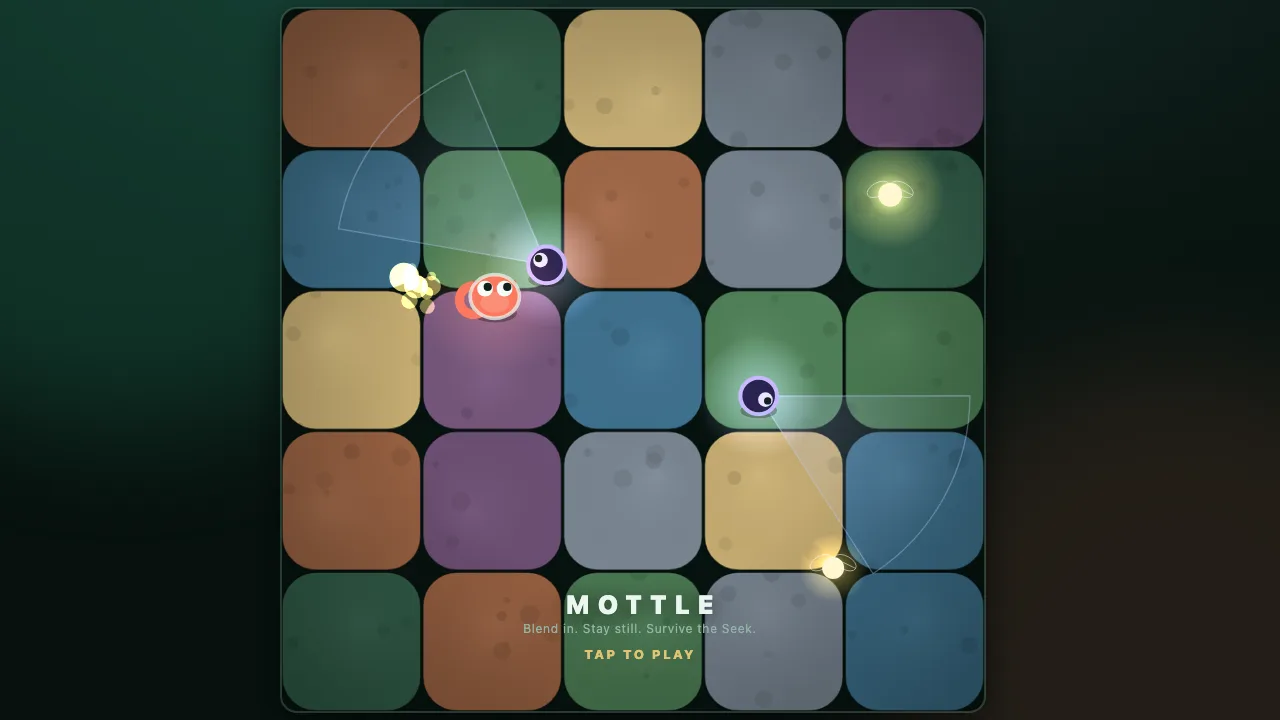
Mottle game title screen showing the colour tile garden, a Seeker light cone, fireflies and the Tap to Play prompt Every round is split into two phases:
- Hide. A short countdown runs while the Seekers are counting. This is your free window to pick a good starting tile before anyone is looking.
- Seek. A timer appears in the top corner and the Seekers start to patrol. Your goal is simple: stay unseen until the timer reaches zero. Collect fireflies along the way for extra points.
If the Seek timer runs out before the Seekers catch you, the round is cleared and you earn a round bonus. If one of them raises its alert all the way to the top, you are spotted and lose a life. You start with three lives, and when the last one is gone the run ends on a Caught Out screen that shows your score, your best score and how many rounds you lasted.
Mottle Controls for Desktop and Mobile
Mottle has one of the simplest control schemes you will find in a browser game, and it works the same way on every device.
- Mouse or touch: press and drag inside the play field to move your creature toward your pointer or finger. Let go to stop.
- Keyboard: use the arrow keys or W, A, S, D to move. Release every key to stop and start blending.
- Pause: press P or Esc at any time during a round. The game also pauses itself when you switch to another tab.
- Sound: the speaker button in the bottom corner mutes or unmutes the effects.
On a phone or tablet, keep your finger inside the board while you drag so the page does not scroll. Mottle plays in portrait or landscape, so you can turn your device whichever way feels comfortable. Use the full screen button on the player bar for the biggest possible view of the garden.
Camouflage, Alert and the Light Cones Explained
The heart of Mottle is the camouflage meter. The HUD on the right shows two bars: Camo and Alert. Understanding how they interact is the single biggest step toward longer runs.
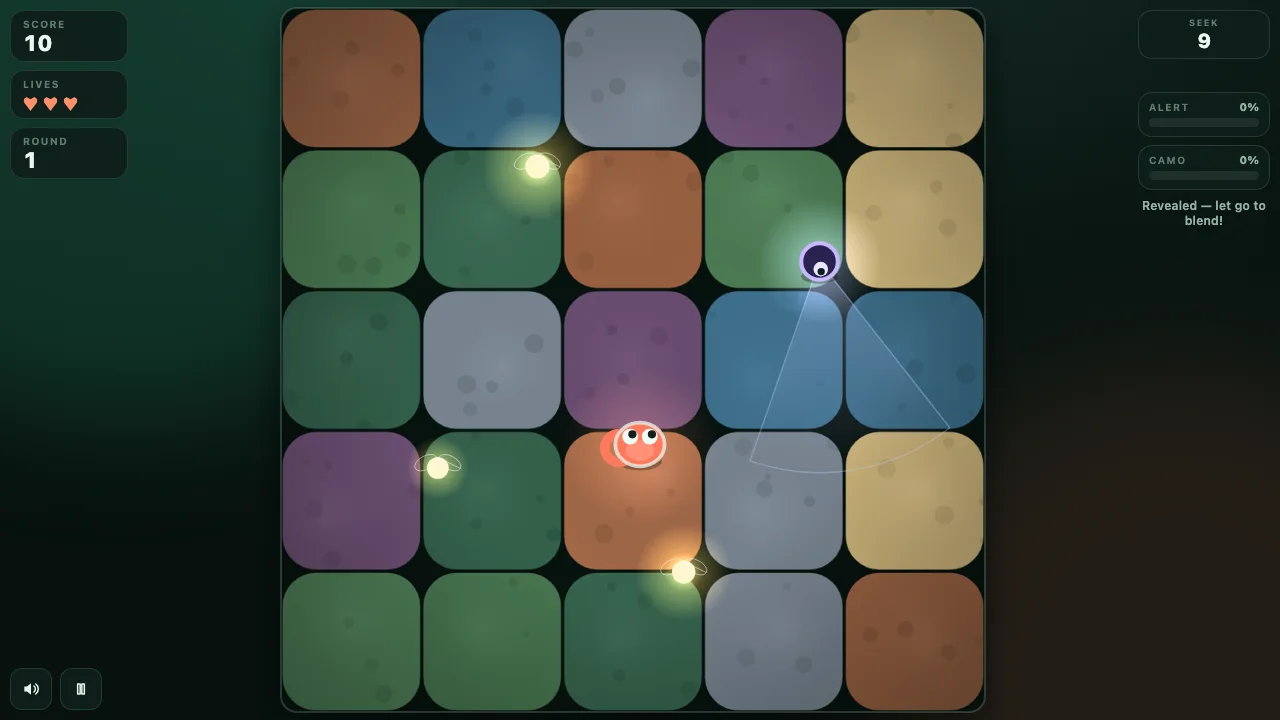
Mottle player running across the garden, glowing orange with Camo at 0 percent while a Seeker sweeps its light cone nearby Camo measures how well you match the ground. Stand still and it charges from zero to full in under a second; the hint under the meters changes from "Revealed — let go to blend!" to "Blending… hold still" and finally "Hidden — stay still." Start moving again and you snap back to full colour almost instantly. Moving also adds extra visibility on top of that, so a running creature is far easier to see than one that has only just stopped.
Alert is the danger meter. It only rises while you are inside a Seeker's cone of light and visible enough to notice. The more visible you are, the faster it climbs, and standing in two or three cones at once makes it climb faster still. When you slip out of every cone, the alert drains back down on its own. If it ever reaches 100 percent you are caught.
The cones themselves change with the Seeker's mood. A calm Seeker throws a pale blue cone as it patrols, now and then stopping to scan from side to side with a wider beam. When it starts to notice you the cone turns red and the Seeker may break off its patrol to chase. If it loses sight of you for a moment it gives up and goes back to its route. That short memory is your friend: break line of sight, freeze, and let the red fade.
Scoring, Rounds and How Difficulty Ramps Up
Points in the Mottle game come from two places:
- Fireflies: each glowing firefly you touch is worth 10 points.
- Round bonus: clearing a round is worth 100 points multiplied by the round number, so round 1 pays 100, round 2 pays 200, round 5 pays 500.
Because the round bonus grows every time, surviving is worth far more than collecting. A greedy firefly grab that costs you a life usually costs you much more than 10 points. Your best score is saved in your browser, so you can come back later and try to beat it.
Each new round also makes the garden more dangerous. The board starts with four fireflies and adds one per round up to nine. The first round has a single Seeker; another joins every two rounds, up to four at once. Seekers move a little faster and their light reaches a little further each round, while the Seek timer grows from 13 seconds by two seconds a round. Later rounds are longer, busier and much less forgiving of a careless dash.
Beginner Strategy: Stop, Look, Then Move
New players lose most of their lives the same way: they hold the drag for too long and run straight into a cone. These habits fix that quickly.
- Use the Hide countdown. Before the Seekers move, slide onto a tile in a quiet part of the board and let go. Starting the Seek phase fully blended gives you time to read the patrol routes.
- Move in short bursts. Tap, drag a tile or two, release. Every release recharges your camouflage within a second, so short hops keep you hidden most of the time.
- Watch the Seek timer. You do not need every firefly. The last three seconds tick down with a sound cue; if you are hidden, simply stay still and collect the round bonus.
- Read the cone colour. Blue means calm, red means trouble. If a cone turns red near you, stop moving at once. Running from a red cone almost always makes things worse.
- Mind the corners. Seekers patrol across the whole garden, so a corner is not automatically safe. Choose tiles with open space around them so you have room to step out of a cone.
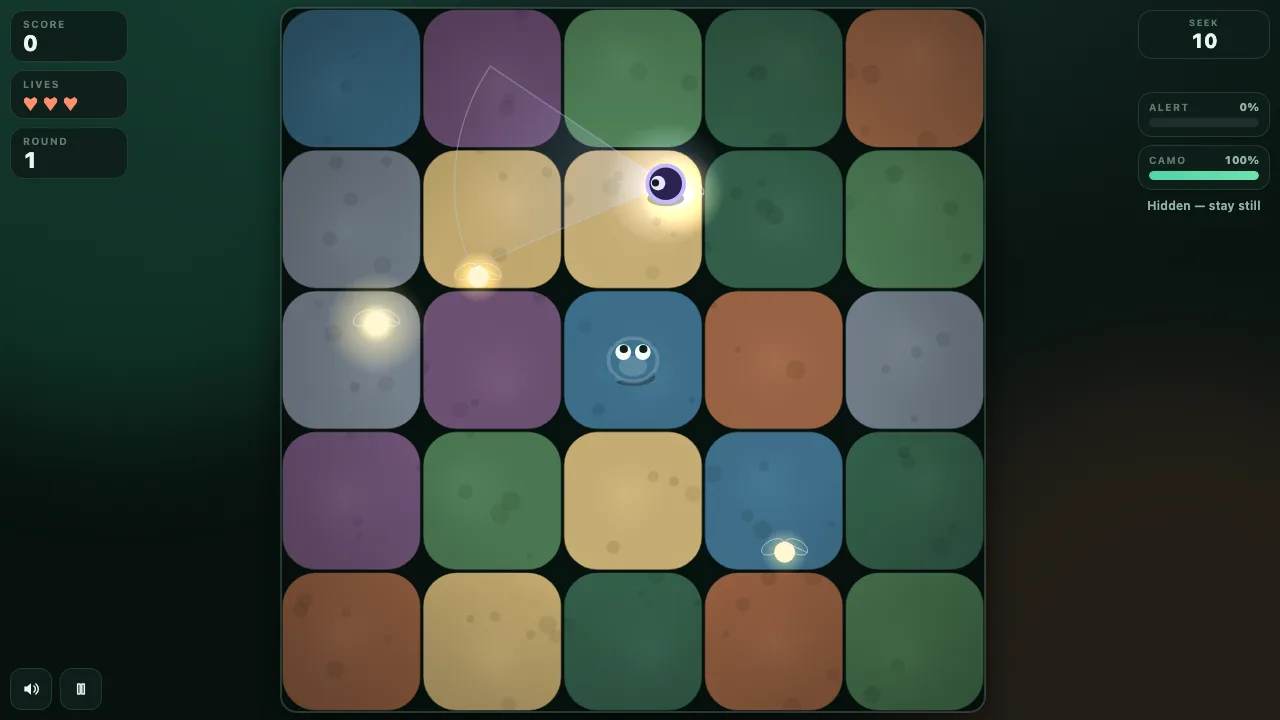
Mottle creature blended into a blue tile with Camo at 100 percent and the hint Hidden — stay still while fireflies glow around it Advanced Tips for a New Best Score
Once you can clear the first few rounds reliably, these techniques help you push deeper into the run.
- Collect fireflies on the way, not as a detour. Plan a short path that passes a firefly and ends on a tile away from every cone. Grab it while the nearest Seeker is facing the other way.
- Time your moves to the scan. When a Seeker stops to scan side to side, its beam is wider but it is not travelling. Wait for the sweep to pass you, then move behind it.
- Break line of sight to reset a chase. If a Seeker turns red and follows you, get out of its cone and freeze. It forgets you after about a second without a clear view and returns to patrolling.
- Avoid overlapping cones. Standing where two cones meet stacks the alert rate. In late rounds with three or four Seekers, the safest tile is the one no beam touches at all.
- Bank the bonus. From round 4 onward the round bonus is worth 40 or more fireflies. If a firefly sits in a busy area late in the timer, leave it.
Why Mottle Is Worth Playing
Plenty of browser games ask you to react quickly. Mottle asks you to hold back, and that is what makes it feel fresh. The tension comes from the moment you choose not to move while a light cone slides past a few pixels away. Its calm dusk garden colours, soft firefly glow and short rounds make it a great pick for a quick break, while the growing round bonus gives competitive players a real reason to chase one more run. Because it runs in any modern browser on a laptop, Chromebook, phone or tablet, you can play the Mottle game anywhere you have a connection.
Ready to try? Scroll back up, press play, and remember the only rule that matters: blend in, stay still, survive the Seek. Looking for more quick browser games? Browse our arcade games or check the newest additions.
In motion
Screenshots
Answers
Frequently asked
What is the Mottle game?
Mottle is a free camouflage hide-and-seek browser game. You move a small creature around a garden of coloured tiles, collect fireflies, and freeze to blend into the ground so the Seekers' light cones cannot spot you.
How do you play Mottle?
Press and drag on the board, or use the arrow keys or WASD, to move. Let go to stop and blend into the tile under you. Survive until the Seek timer ends to clear the round, and collect fireflies for extra points.
Can I play Mottle on my phone?
Yes. Mottle runs in mobile browsers on Android and iPhone. Drag with one finger inside the play field to move and lift it to hide. The game works in portrait or landscape.
How many lives do you get in Mottle?
You start every run with three lives. Each time a Seeker's alert fills up you lose one, and the run ends when all three are gone.
How is the score calculated in Mottle?
Each firefly is worth 10 points and clearing a round adds a bonus of 100 points times the round number. Your best score is saved in your browser.
Is Mottle free and does it need a download?
Mottle is completely free and runs in your browser. There is nothing to download or install and no account is needed to play.